


HOW DO I ORDER MY TEXT LABELS?
STEP 1 - Choose your text label template and go to the product page.
Choose the option with text.
Add the label to the shopping cart with the desired quantities.
Minimum order quantity is 25 text labels.
STEP 2 - Download our standard text lists here for your reference
STEP 3 - Download the excel spreadsheet from the product sheet, to be filled in the text order section, to place your order (by trade).
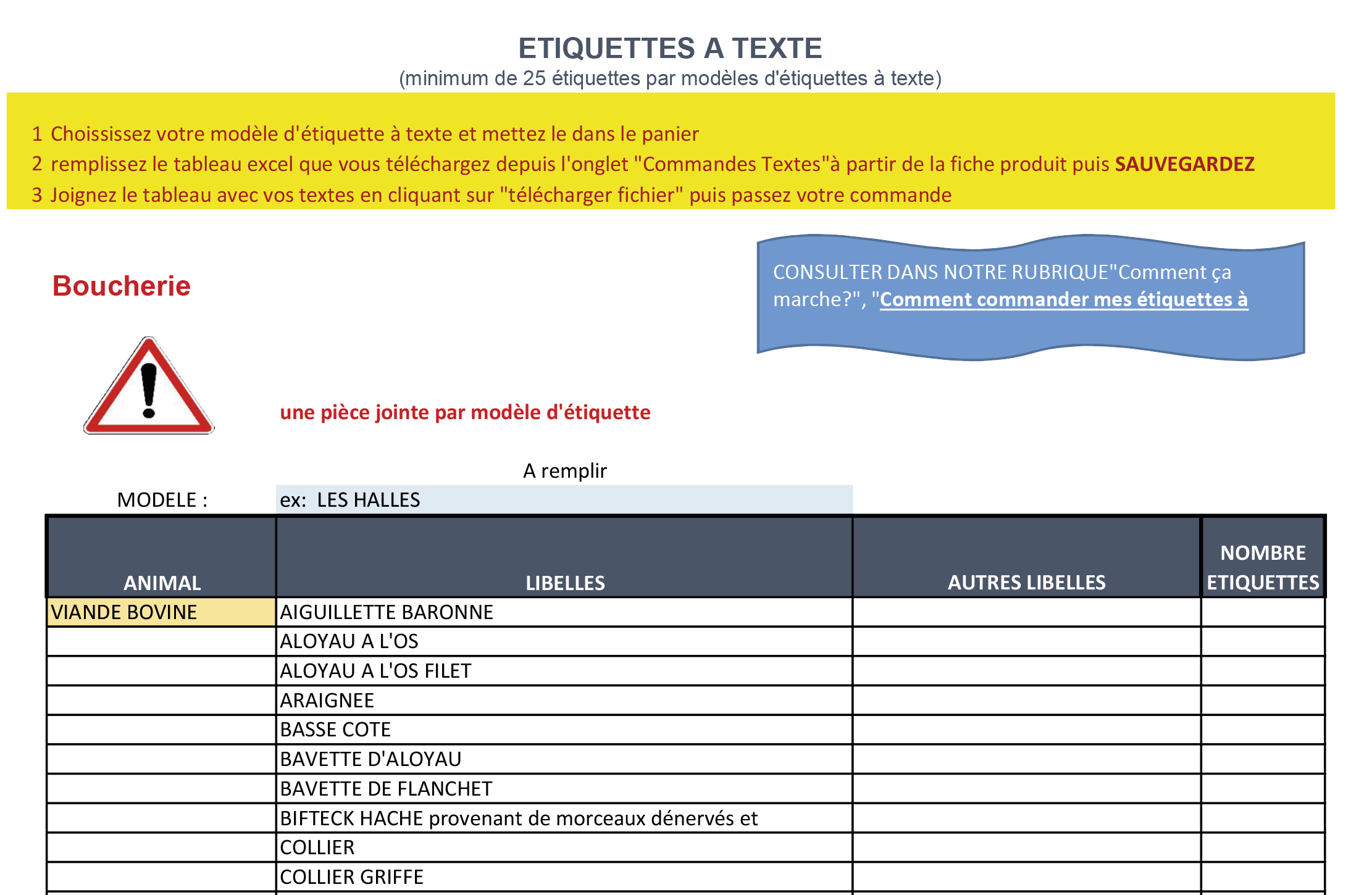

Choose the animal, then the text and indicate the number of labels.
Alternatively,
Enter your text (at the bottom of the table), indicating the animal and the number of labels.
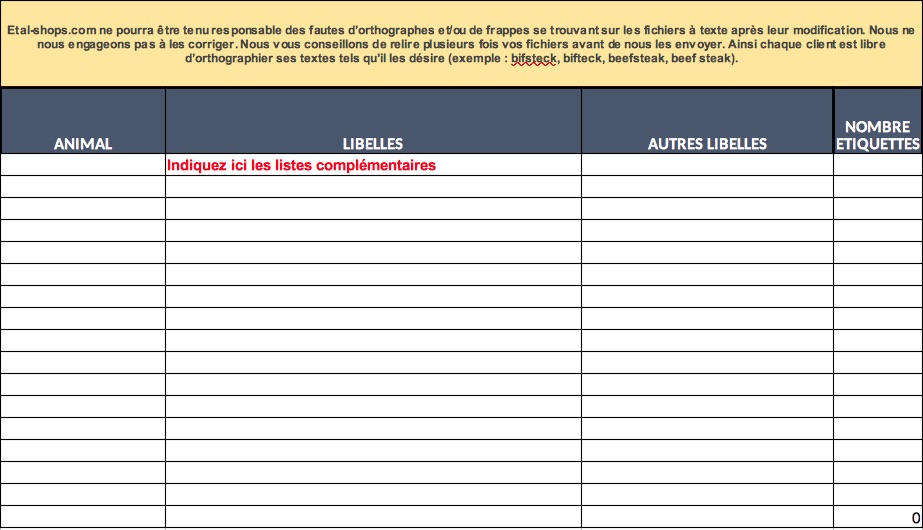

Fill in an Excel table for each label model you'd like to order, indicating the model at the top of the table.
To fill in
|
ex: LES HALLES |
STEP 4 - Place your order
You must order a minimum of 25 text labels.
You must also attach a file with your texts by clicking on "upload file".
You can attach one or more text files, which can be found in the 'Text orders' tab.
Then proceed to payment.
